Docs
Workbench
Checklists/New/Workbench
Every species from the previous steps lands here as its own row, ready for a final pass before you publish.

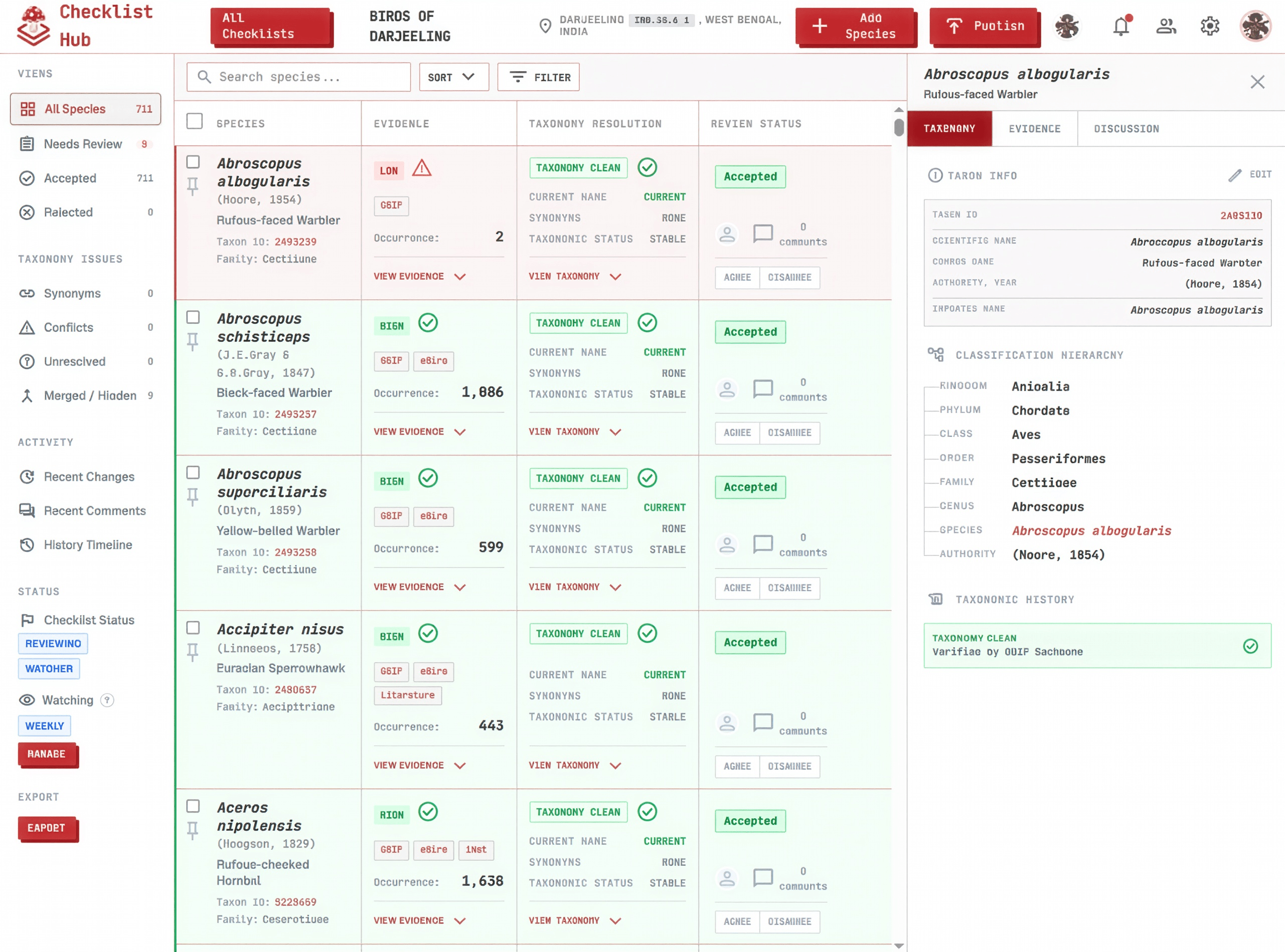
Click a step below to see it highlighted in the screenshot.
- 1
Review species
Work through the checklist row by row, starting wherever you like.
- 2
Verify with evidence
Confirm each species actually belongs by checking the occurrence map and source counts behind it.
- 3
Review flagged taxonomy issues
Resolve any row flagged as a synonym or an authority conflict.
- 4
Communicate with collaborators
Leave a comment on the row, tagging a collaborator with @ or a species with # when something needs a second opinion.
- 5
Resolve every row
Accept, reject, or merge each one until nothing is left in Needs Review.
See the full walkthrough, including taxonomy resolution and merging duplicates, in Features → Workbench.