Docs
Collaborate
Checklists/New/Collab
Bring reviewers onto a checklist and resolve conflicts without leaving the species panel.

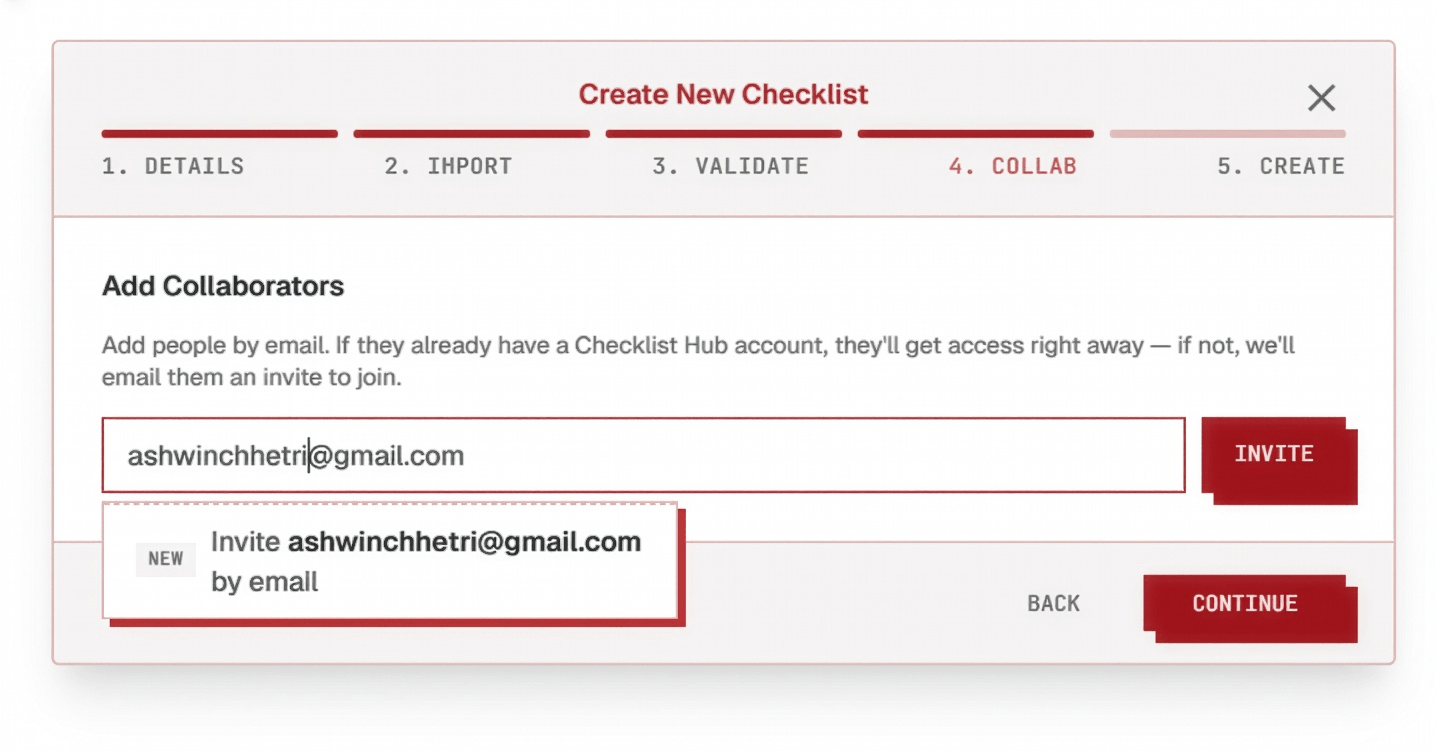
Click a step below to see it highlighted in the screenshot.
- 1
Add collaborators
Type a collaborator's email address into the field — a dropdown lists it back with the option to invite them, whether or not they already have a Checklist Hub account.
- 2
Collaborators get the invite via their email
If they already have a Checklist Hub account, they get notified in-app and by email, with a link straight to the checklist — something like checklisthub.org/checklists/{checklist-id}. If they don't have an account yet, they get an email invite to create one and join the checklist.
- 3
Discuss
Every species has its own real-time discussion thread. Type @to tag a collaborator — they're notified directly — or # to tag another species or an evidence source inline.
See the full deep dive, including managing roles and pending invites, in Features → Collaboration.