Docs
Import data
Checklists/New/Import
Checklist Hub pulls species in from three kinds of sources at once, and merges them into a single list. Click through the literature sub-steps below to see each stage of the pipeline.

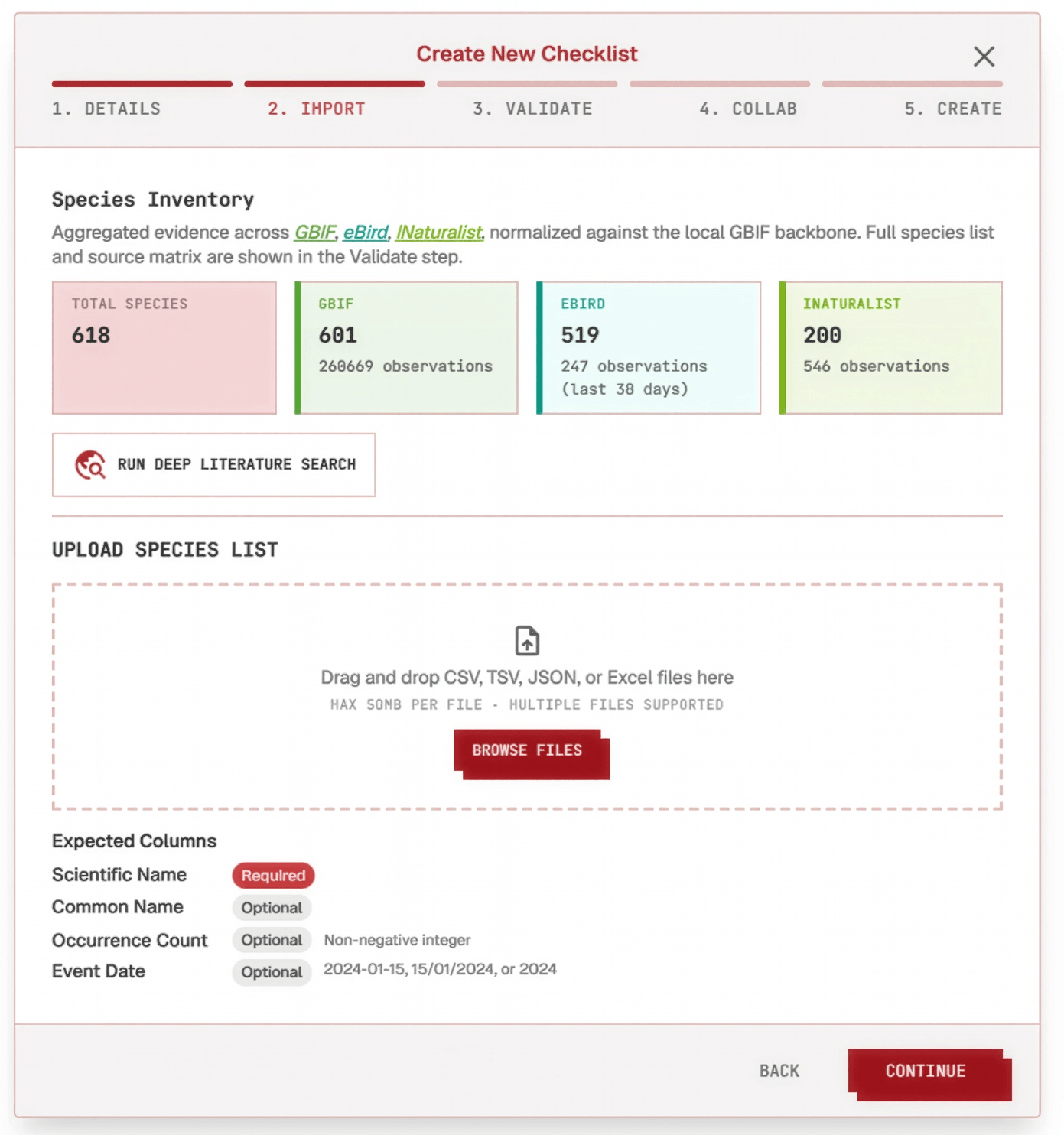
Click a step below to see it highlighted in the screenshot.
- 1
Global occurrence data
As soon as the taxonomic scope and region are set, evidence is fetched automatically from GBIF, iNaturalist, and eBird — the repositories Checklist Hub currently supports — no upload needed.
- 2
Field data
Manually collected field data can also be uploaded — drop a CSV, TSV, JSON, or Excel species list into the upload box, or skip the file entirely. Columns should be organized as: Scientific Name (required), plus Common Name, Occurrence Count, and Event Date if available — all optional, and matched automatically by column header.
- 3
Literature pipeline
Deep Literature Search finds, ranks, and extracts a species list from published sources, in three stages:
- 3.1Discover literature
Searches the web for documents that are strictly taxon and region specific to the checklist. If you already have a paper in mind, you can add literature manually instead of waiting on discovery.
- 3.2Rank literature
Every discovered source is scored from 100 down to 75based on how relevant it is to the checklist's taxon and region.
- 3.3Extract species
Sources scored 75 and above are used to extract a species list straight from the papers.
- 3.1Discover literature
Names from every source are checked against the GBIF Backbone and Catalogue of Life as they come in, with synonyms resolved automatically. Imported and discovered species land together in the same merged list, ready for the Review step.