Docs
Define scope and taxa
Checklists/New/Details
Name the checklist, then set the two fields that scope everything Checklist Hub does next, from evidence aggregation to reconciliation.

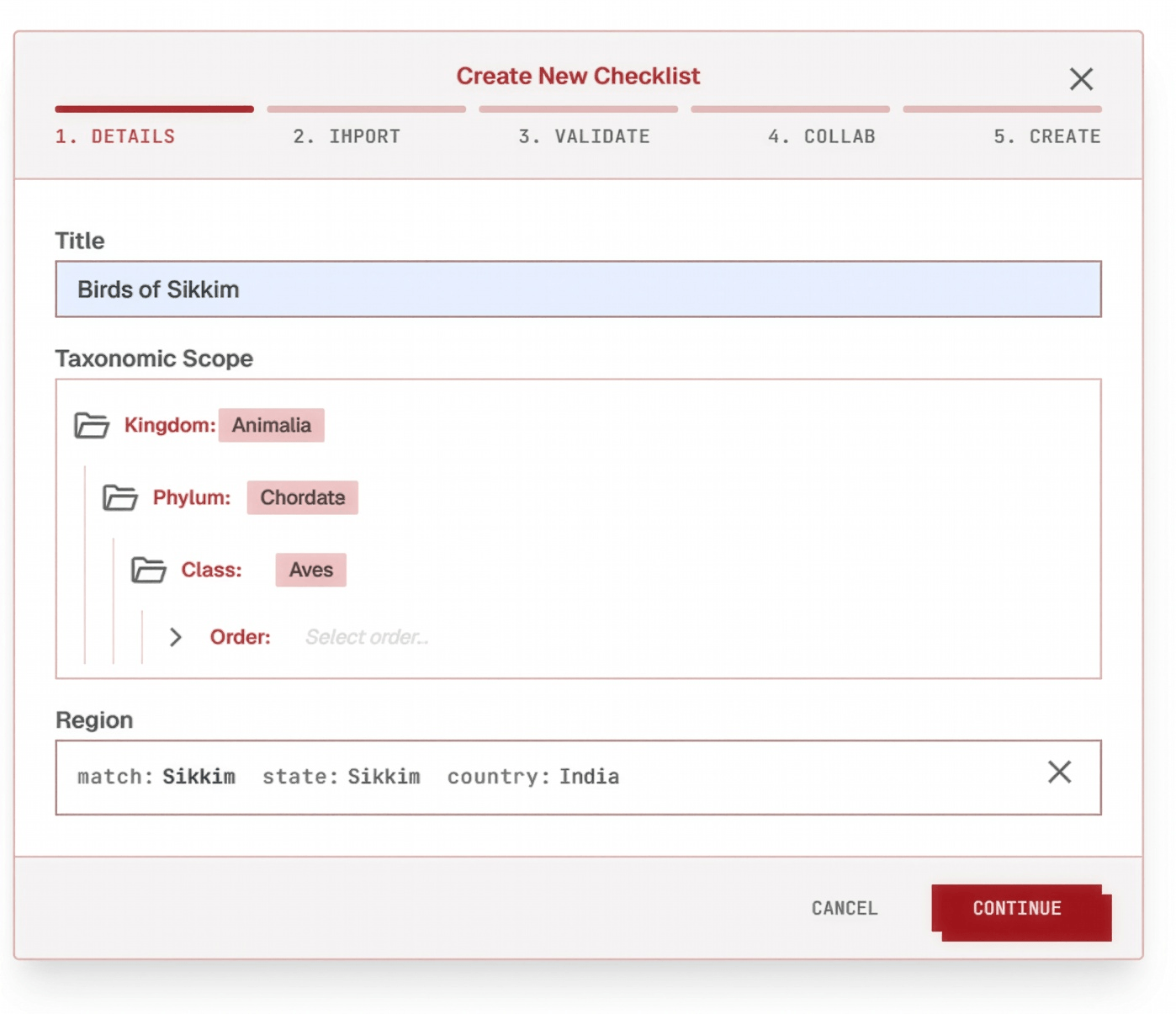
Click a step below to see it highlighted in the screenshot.
- 1
Title
Anything works, but a short, descriptive name — like "Birds of Sikkim"— is usually best, since it's often how the checklist gets identified later, by you and by collaborators.
- 2
Taxa
Checklist Hub organizes species along the taxonomic tree — kingdom → phylum → class → order → family. Define the taxa scope that covers a species and all its family, from a whole class down to a single genus, for example:• Birds (Animalia → Chordata → Aves)• Reptiles (Animalia → Chordata → Reptilia)
- 3
Region
The geographic boundary the checklist is limited to — anything down to district level is supported, but it must have a GADM code. GADM (the Database of Global Administrative Areas) assigns every country, state, and district a unique boundary code — look yours up at gadm.org. Only occurrences that fall inside both the taxonomic scope and the region are pulled in later.